I find I start waving my hands around when describing to what Validibot does. That's because I don't have any real world examples. I'm tired of that, so I've started working on some example use cases from real domains to help demonstrate Validibot's features.
How about THERM files? They're essential in building simulation. They're structured XML. They're ubiquitous. And they're gnarly. Excellent choice.
What is a THERM file?
THERM is a Windows desktop application by Lawrence Berkeley National Labs. It's a dinosaur...maybe +30 years old at this point...but it's effective enough to still be a standard tool for two-dimensional heat transfer analysis of fenestration products. (Here's an example of a .thmx file from LBNL's open source pywincalc library.)
So THERM is widely used, and its primary format, an XML file stored with the .thmx extension, contains everything you need for a 2D simulation of things like window frames. It's got polygon geometries, boundary conditions, materials, and so on.
The problem is, these thmx files can get quite complex. A typical sill cross-section might have dozens of polygons and hundreds of boundary condition segments. If somebody manually editing these files accidentally bungles an attribute, removes a required element, or exports from a tool that writes slightly malformed XML, you find yourself debugging cryptic THERM errors instead of doing actual engineering work.
Sounds like a perfect use case for Validibot.
Validibot and THMX
So it's very important that .thmx files are correct before they hit a simulation run or a standards body submission form. This is where Validibot can be helpful...in a couple ways.
The first way is more generic, the second more domain-specific.
For the more generic example, we can show how validation of a XML file using Validibot's XMLSchemaValidator is a great way to use arbitrary schema and rule assertions to build a validation workflow. We can use XMLSchemaValidator to apply an XSD or RNG schema against incoming data and report all issues. If an incoming file is valid and passes that schema-based validation step, the workflow author can add additional steps that apply extra assertions in CEL format that checks the data further, assertions that aren't possible in XSD schemas. For example, let's say you only want conductivities to be positive numbers.
For the more detailed example, we can get into specialized validators -- in this case, THERMValidator -- which provides a way to do deeper, domain-specific validations. We can use a specialized validator that encapsulates very specific logic and tools that provide a much richer validation.
This blog post explains the first use case. More on the second case soon!
Generic XML Validations...
Validibot lets you set up validation workflows that check incoming XML files against a RelaxNG schema before they ever reach the simulation engine. Your users upload their file, get immediate feedback on what's wrong (or a green checkmark when everything's fine), and you stay out of the loop entirely. The way it should be.
The Setup: XMLSchemaValidator + a RelaxNG Schema
In Validibot, you define validation workflows that consist of a series of steps. Each step can be a different type of validation or processing action. For this use case, the first step is an XML Schema validation step that checks the structure of the .thmx file against a RelaxNG schema we wrote specifically for THERM files.
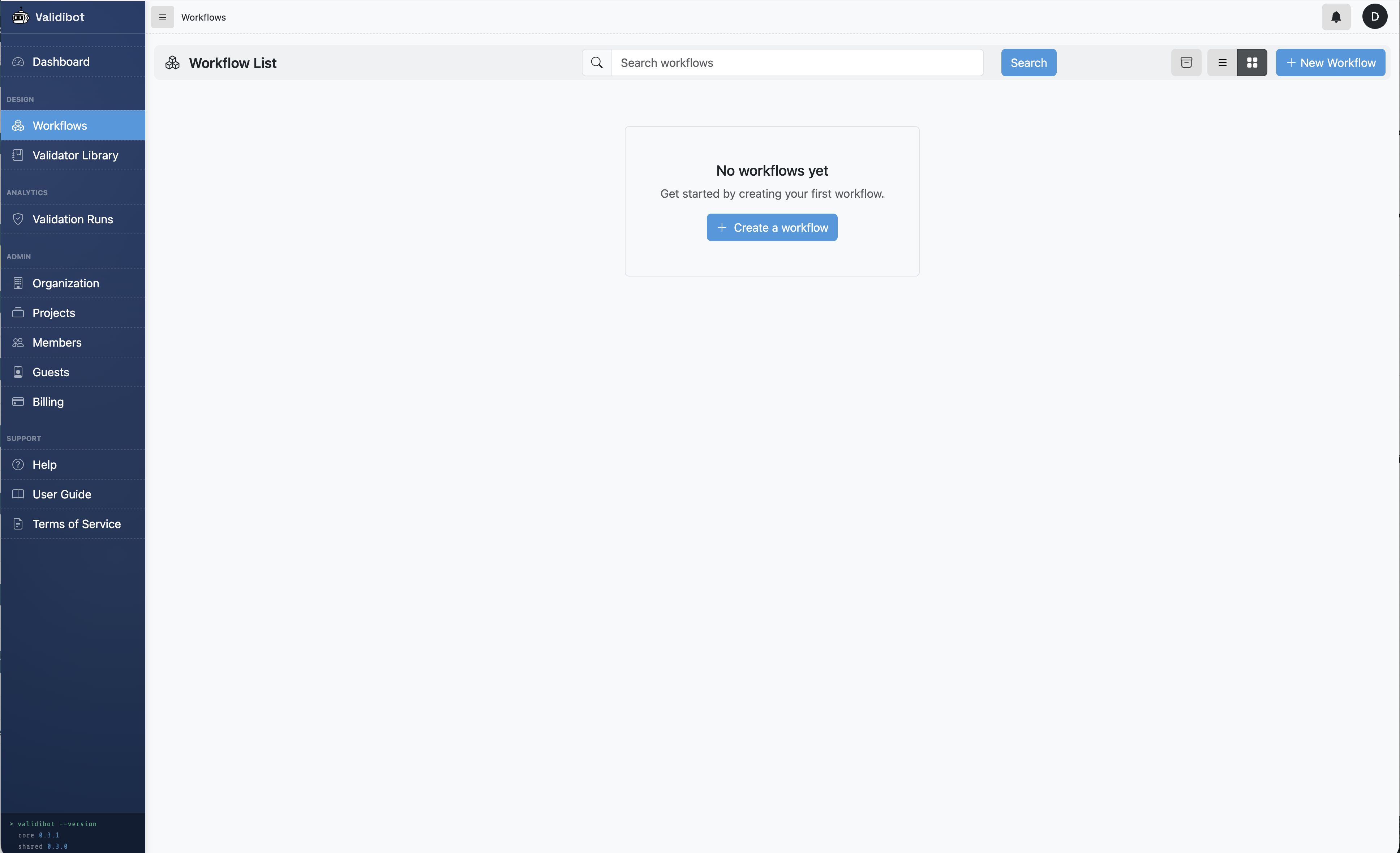
First step is to create a workflow. There's a create button in the upper left of the Workflows page. Click that, give your workflow a name (like "Validate my THERM file"), and save it. Now you have an empty workflow.
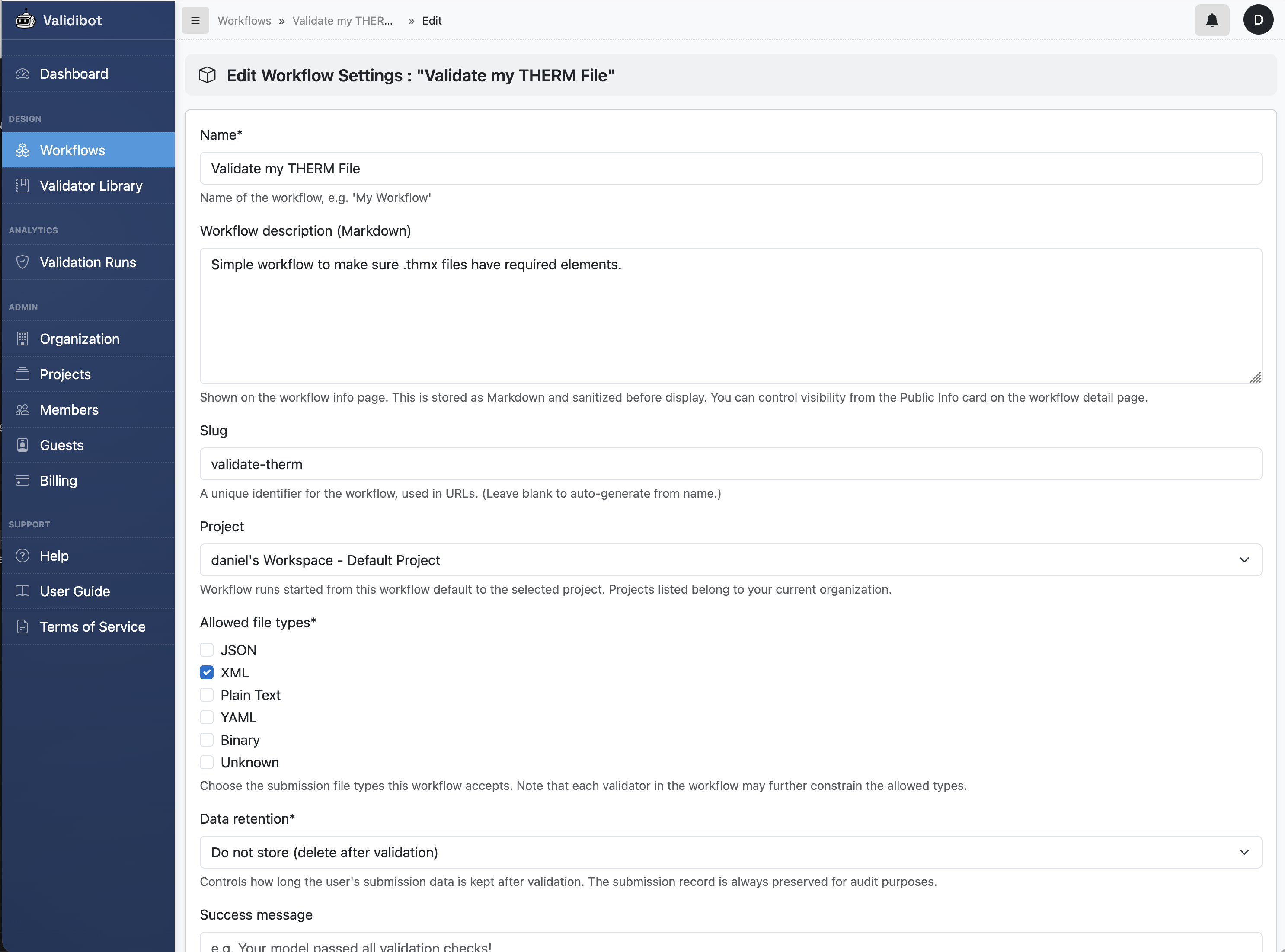
The next task in creating any validation workflow is to add a validation steps. A validation step is a single validation action that takes some input data, runs it through a validator, and collects errors, warnings and informational messages. You can have as many steps as you want in a workflow. There are other kinds of steps too ("actions" as I call them...things like generating certificates, calling webhooks, sending messages to Slack, etc), but we'll stick to validation steps for this example.
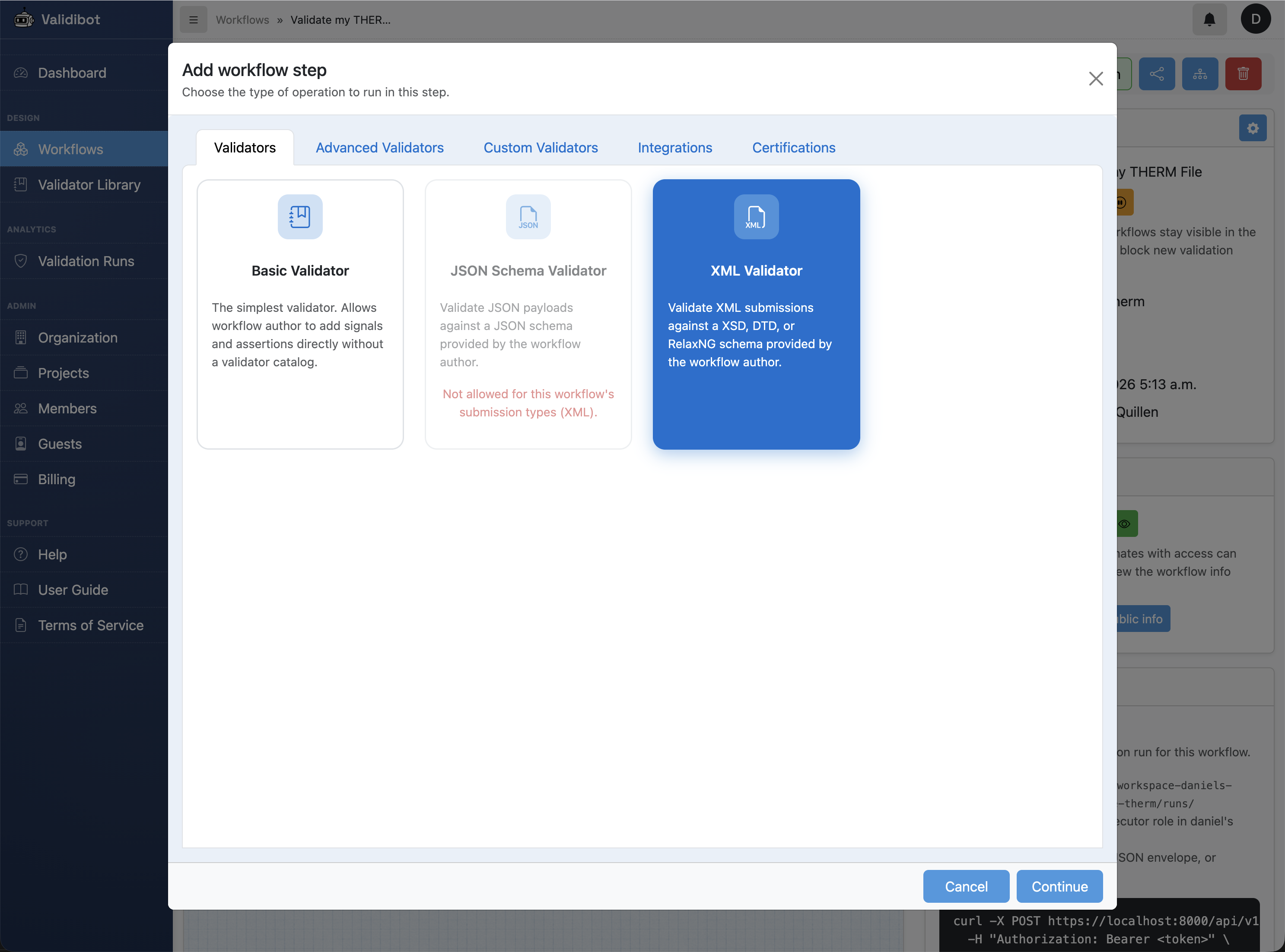
We click the "Add Step" button and pick our validation from the dialog of available validators and actions. In this case we pick the XML Schema Validator, which is a built-in validator that can apply XSD, RelaxNG, or DTD schemas to incoming XML data.
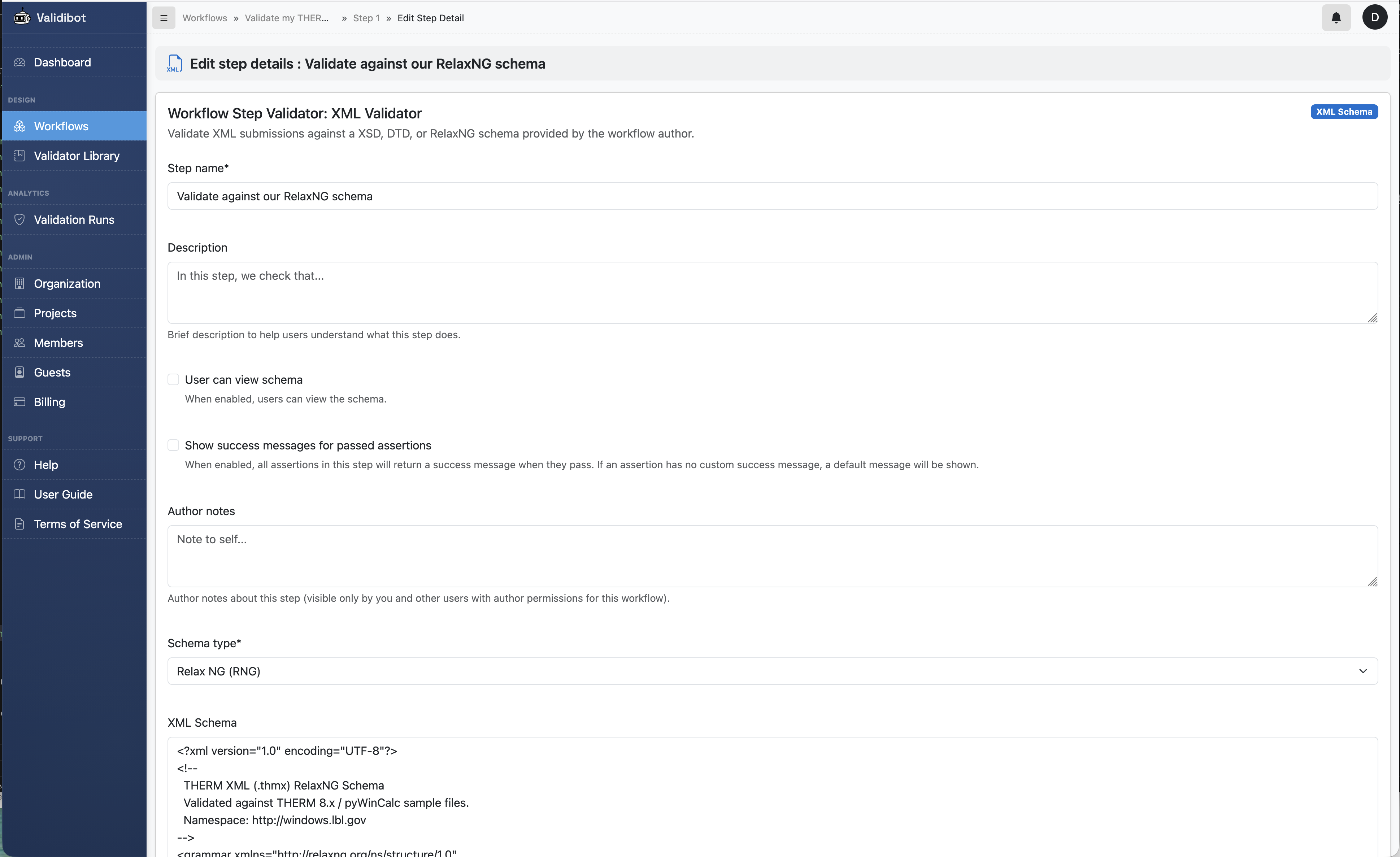
If you don't have an XML schema for your data, you can write one yourself. It's a bit of work, but it's worth it to catch structural issues before they cause headaches in the simulation engine. I've created a simple one for this example, which you can find in the validibot GitHub repo here: https://github.com/danielmcquillen/validibot/blob/main/tests/assets/rng/therm.rng
This is just an example schema that checks for the presence of required elements and attributes, and the overall structure of the file. A full THERM schema would be more complex, but this is enough for this demonstration.
So let's take that schema and paste it into the "XML Schema " field, set the schema type to RELAXNG, and save our step. You should now see one validation step in your workflow.
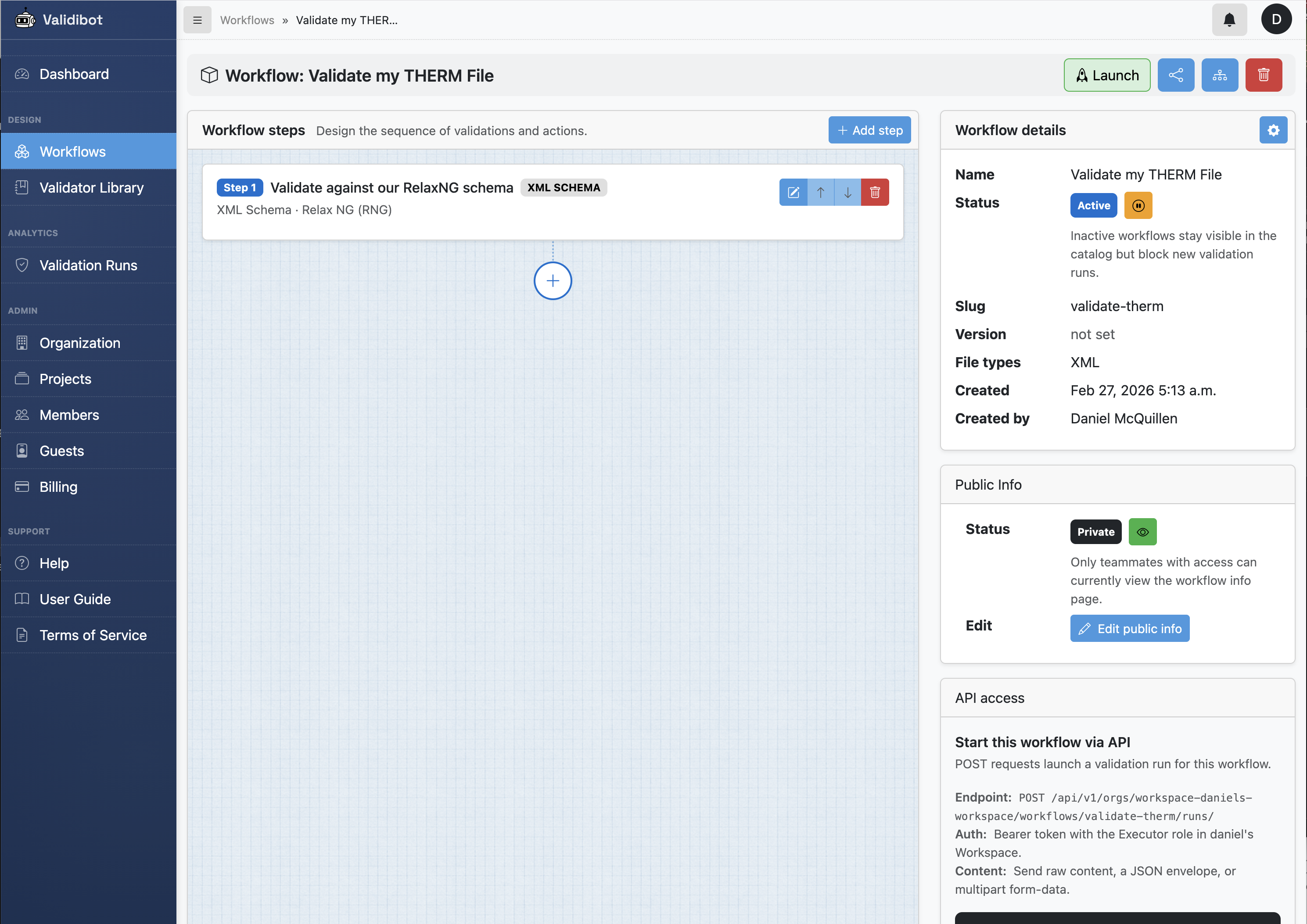
At this point we have a nice workflow that can validate incoming .thmx files against our RelaxNG schema. But maybe we want to do more than just check the structure. Maybe we want to check that all conductivity values are positive numbers.
We can do that with something called CEL assertions. CEL is a powerful expression language that lets you write complex logic to check your data. (I wrote more in a blog post here.) You can add CEL assertions with a "Basic Validation" step, which is a step that lets you write CEL expressions to check your data.
Let's add another step to our workflow. We'll select the "Basic Validation" step in our library of validators and actions.
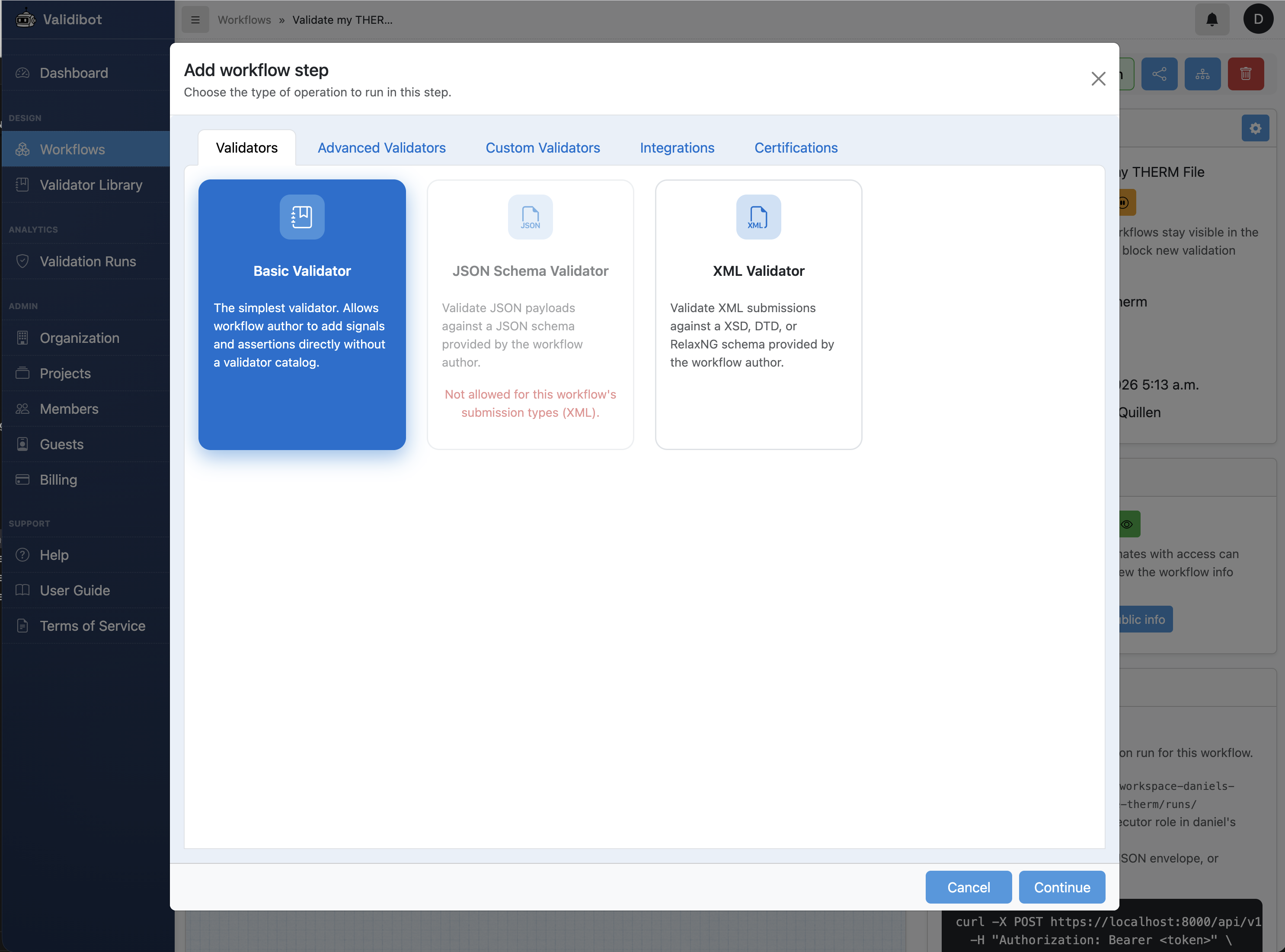
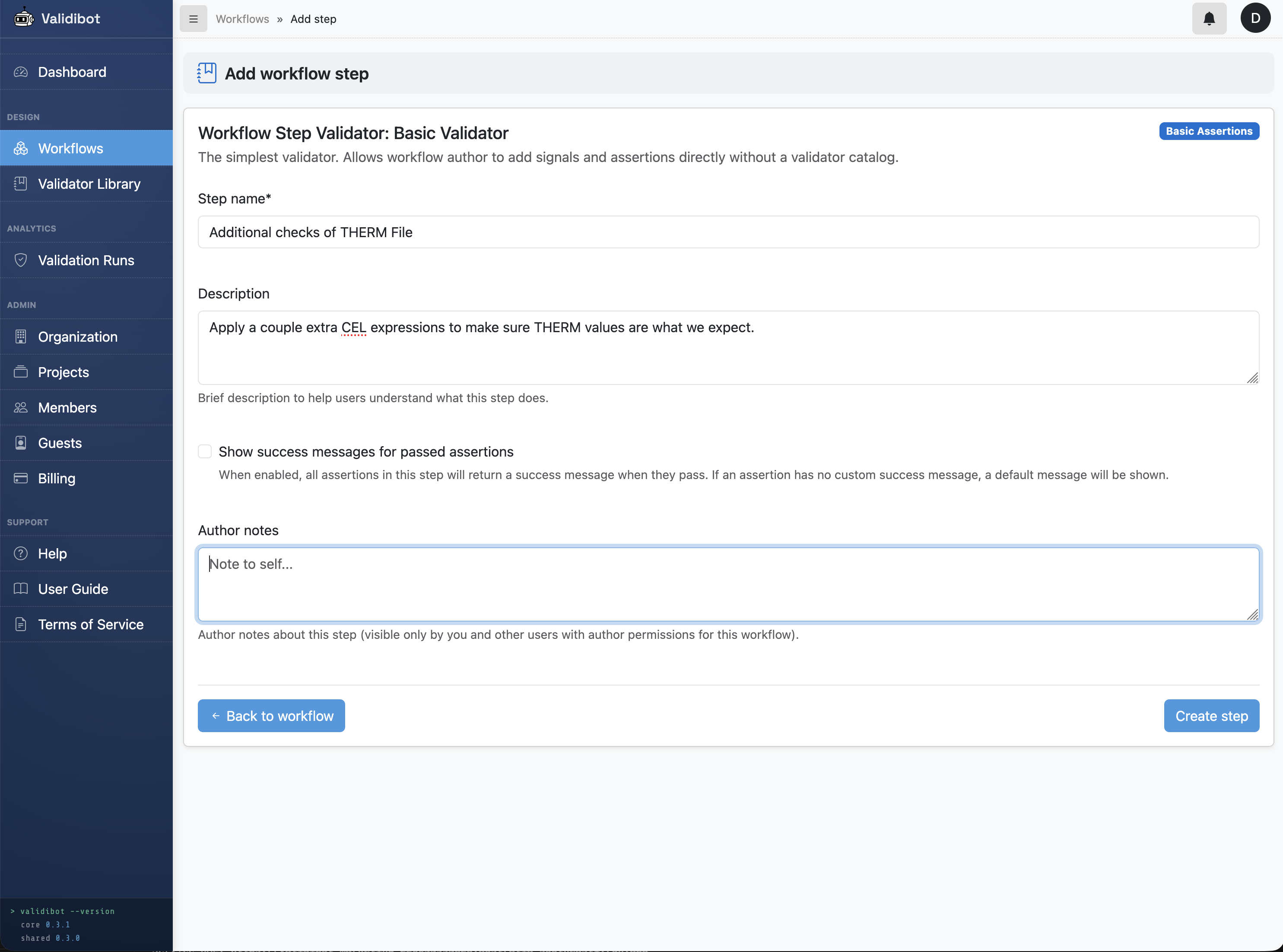
Whenever you add a step that can have assertions, you'll see the Step Editor, which is where you can add your CEL expressions.
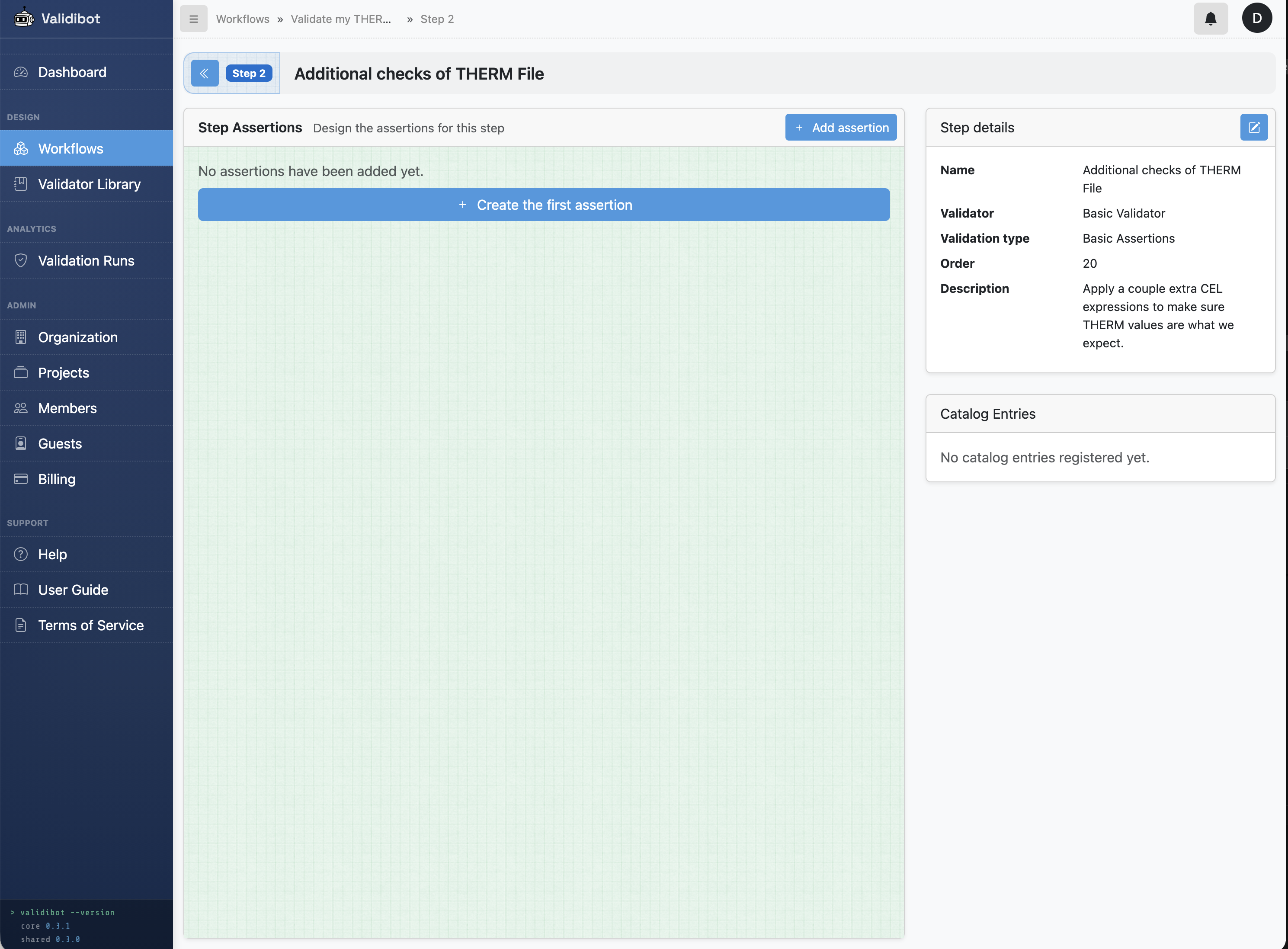
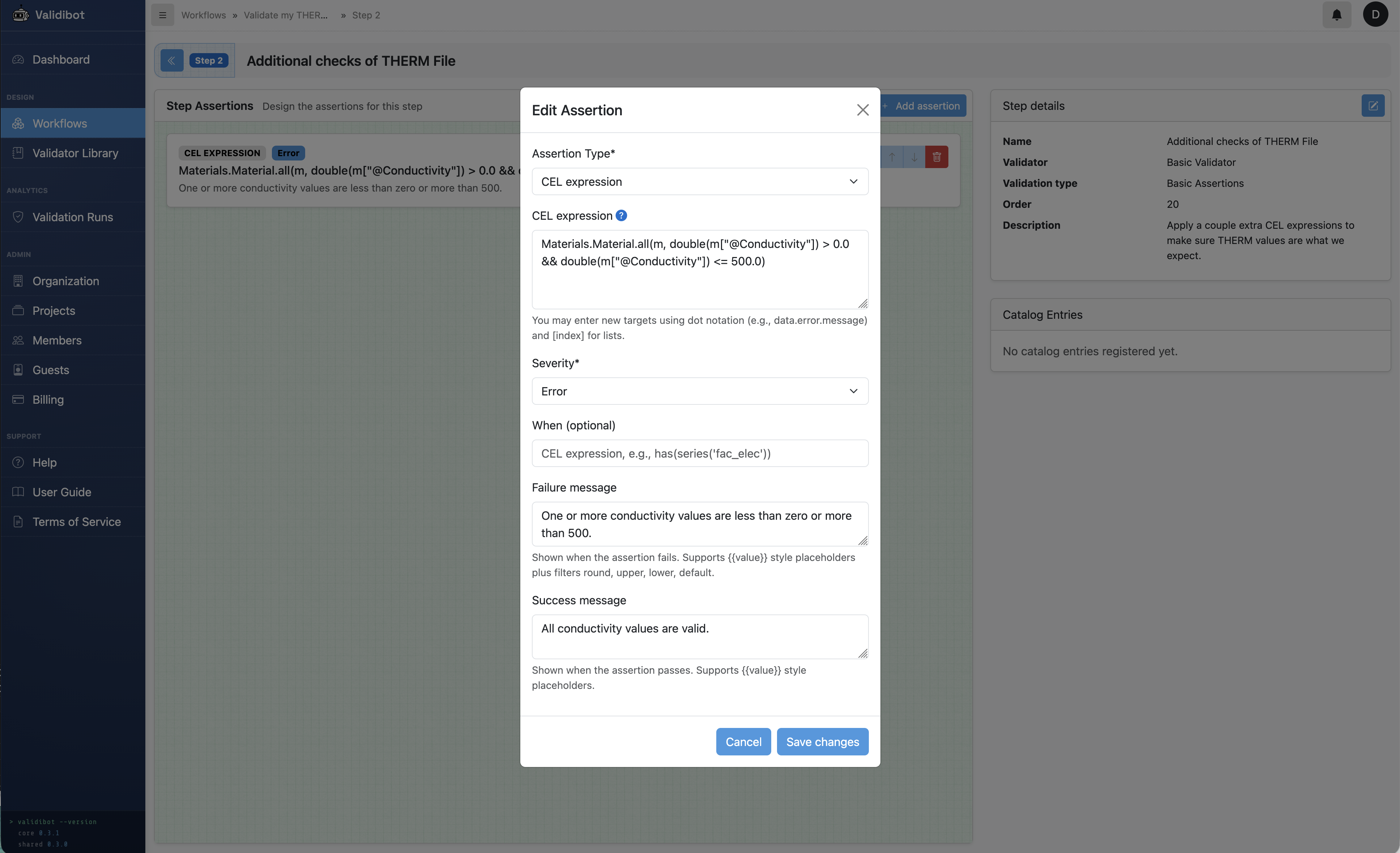
Click back to the workflow editor, and now we have a workflow with two steps: the first step checks the structure of the .thmx file against our RelaxNG schema, and the second step checks that all conductivity values are positive numbers.
We can add as many steps as we want, and each step can have as many assertions as we want. This allows us to build up a very powerful validation workflow that can catch a wide range of issues with our .thmx files before they ever reach the simulation engine.
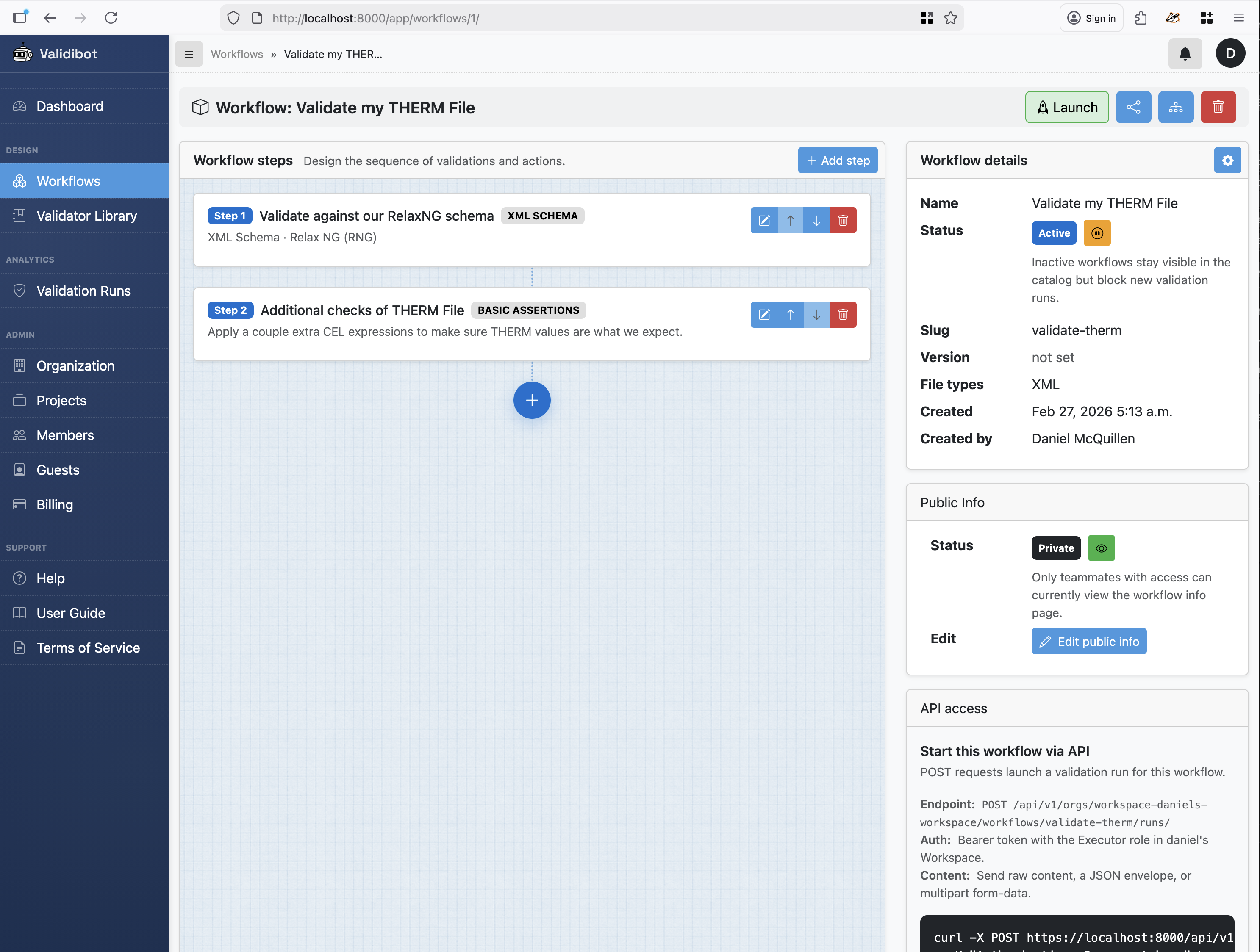
Ok! We're ready to launch our workflow. In Validibot, you can launch a workflow from a web-based "Launch" page or via an API call. For this example, we'll use the web-based launch page. We click the "Launch" button in the upper right of the workflow editor, which takes us to the launch page for this workflow.
In actuality, you would probably have users and guests who are launching this workflow, and Validibot supports that in the Pro plans by giving you teams and guest user management. But for this example we'll just launch it ourselves. In the screen below, you'd just paste your .thmx content into the yellow area (or upload the file via your file selector).
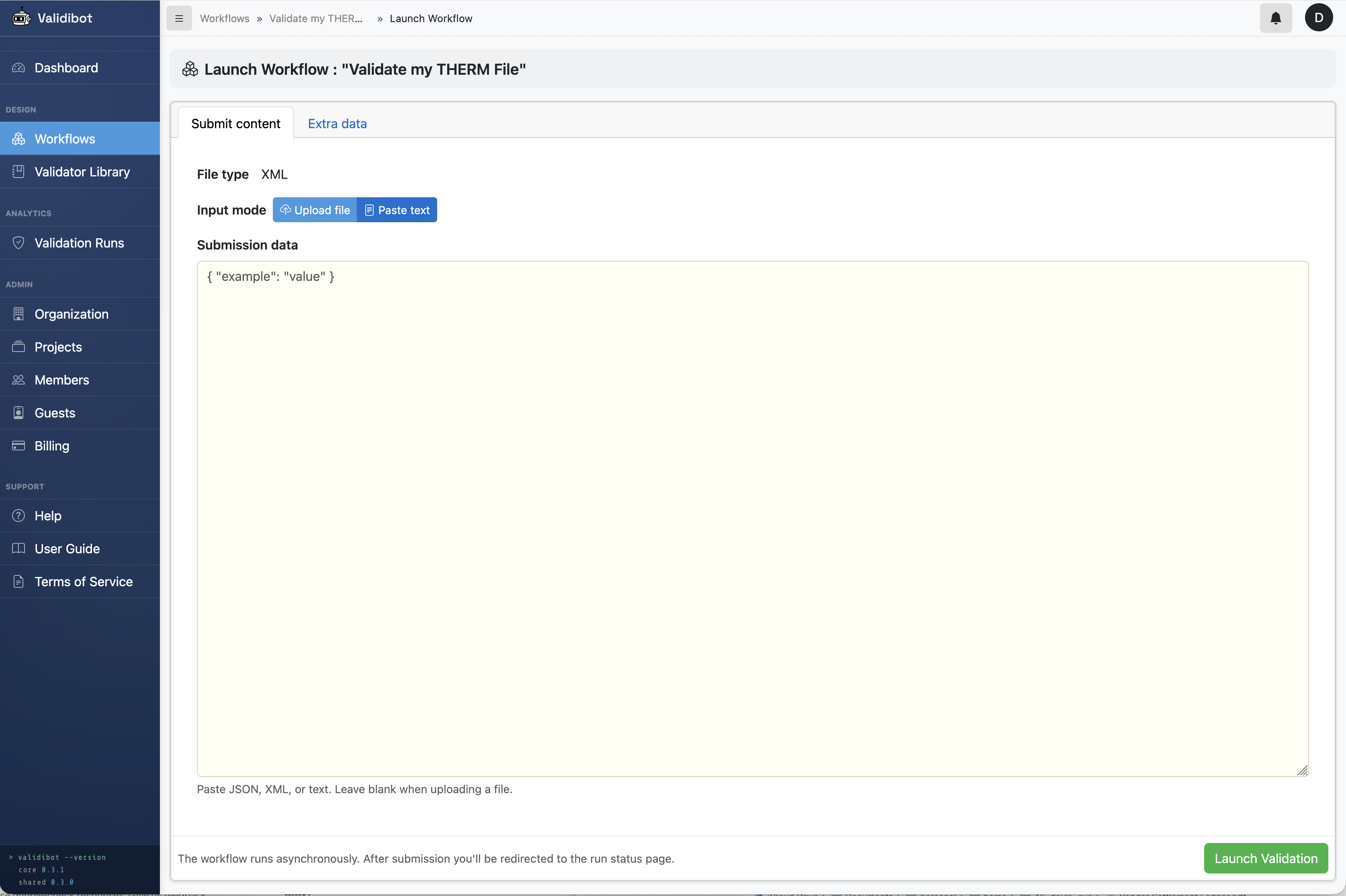
For this example, I added a .thmx that was structurally correct but had some invalid conductivity values (example file here). After I clicked launch, Validibot runs the job behind the scenes, and updated the screen when done...
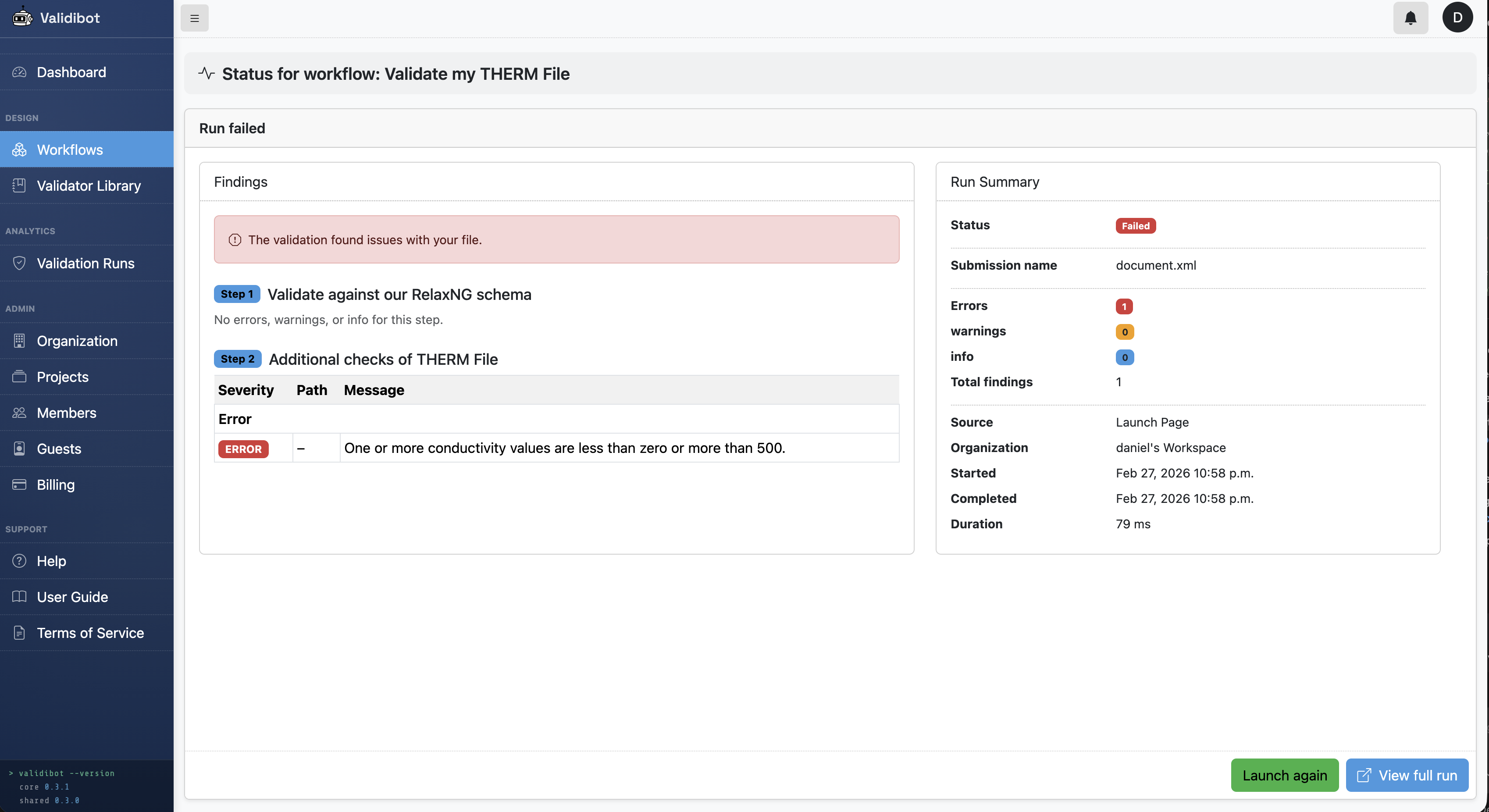
And there we have it! Validibot has validated our .thmx file against our RelaxNG schema and our CEL assertion, and warned us that we have invalid conductivity values.
So a simple example, but maybe the flexibility of the validation features has you intrigued.
You can also use API requests to access your workflow, or the Validibot CLI (Command-line Interface). The CLI is cool because it makes it easy to integrate your validations into things like GitHub CI. I'll cover both in another post.
But Wait, There's More Coming Soon
The XMLSchemaValidator approach we just walked through is great for catching structural problems like missing elements, missing attributes, or unexpected content. Validibot makes it easy to build up nice validation workflows using XML Schemas, JSON schemas, CEL assertion and so on. That might be all you need.
But what if there were targeted validators that understand the semantics of specific file formats and can apply domain-specific rules and logic that go beyond what a generic schema or CEL statements can express? Maybe even execute complex logic or run a special simulation engine to generate and check output values?
That's where specialized validators come in. I'm working on a series of these types of validators, starting with THERMValidator, EnergyPlusValidator, and FMUValidator. These validators will be able to do much deeper checks on the data, and provide much richer feedback to users.
I call these things "Advanced Validators" and they're much easier for workflow authors to use, since they encapsulate all the complex logic and rules in a single validator that can be easily dropped into any workflow.
Stay tuned for a second blog post in this series, where I get into advanced validators and show how they can be used for much deeper checks than a simple XML schema and CEL assertions can provide.